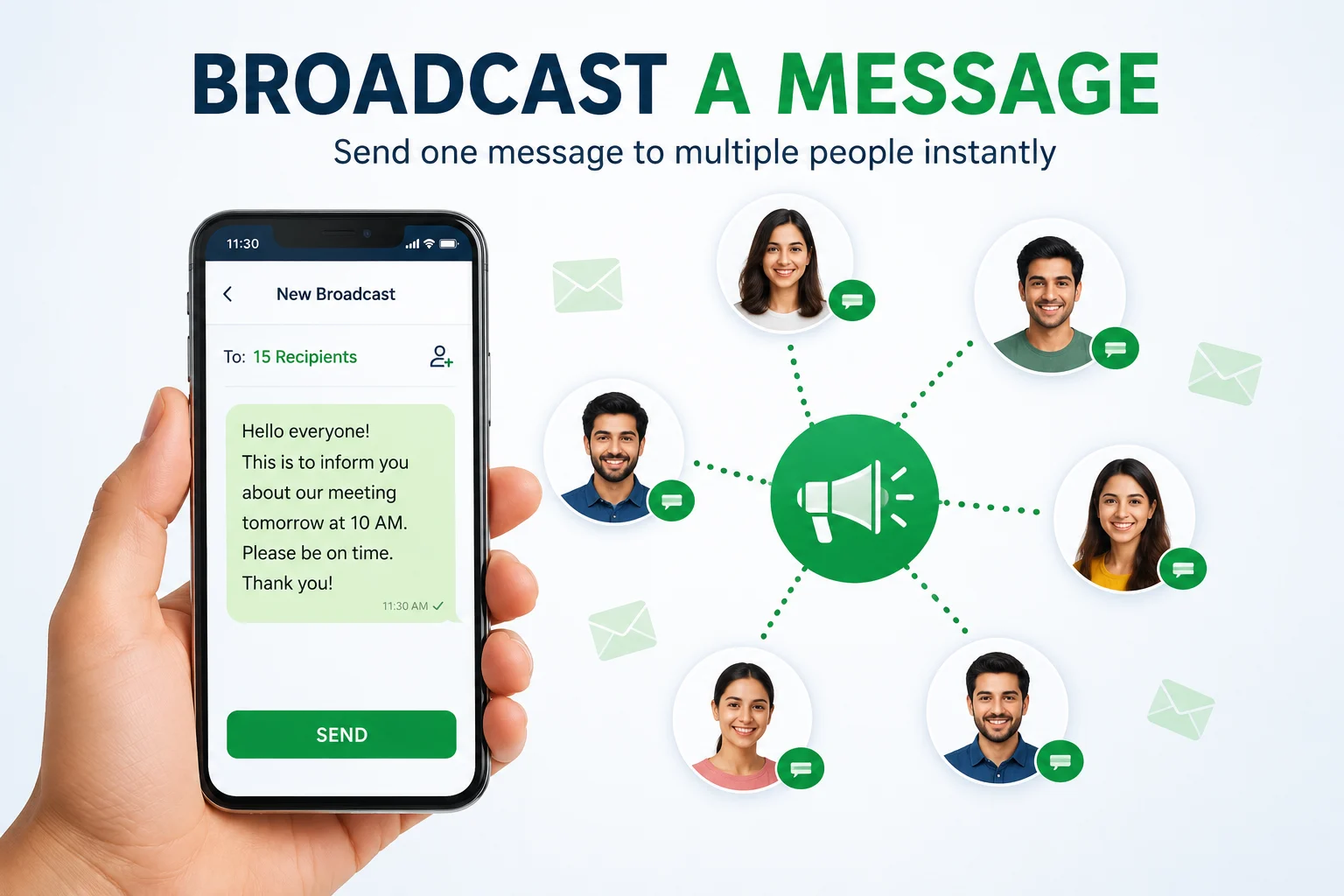
Sending the same message to multiple people one by one can be time-consuming, especially when you need to share important updates quickly. If you’re searching for broadcast a message, you’re probably looking for a faster and easier way to reach several contacts without repeating the same task.
Whether you’re notifying your family, reminding coworkers about a meeting, updating customers, or sharing event details, broadcast messaging helps you send one message to multiple contacts in just a few steps. Different platforms, including Android, iPhone, WhatsApp, and Google Home, offer their own ways to make communication simple and efficient.
In this guide, you’ll learn how to broadcast a message, explore the best methods for different devices, and discover practical tips to avoid common mistakes. By the end, you’ll know how to communicate faster, stay organized, and ensure your important messages reach the right people at the right time.
What Does Broadcast a Message Mean?
A broadcast message is a single message sent to multiple people at the same time. Unlike a group chat, every recipient receives the message as an individual conversation, which makes the communication feel more personal and organized.
This feature is useful when you need to share the same information with many people but don’t want everyone replying in one shared chat.
People commonly use broadcast messages for:
- 📅 Meeting reminders
- 🎉 Event invitations
- 👨👩👧 Family announcements
- 🏫 School updates
- 💼 Business promotions
- 📦 Customer notifications
- 🚨 Emergency alerts
- 🎂 Birthday or holiday greetings
For example, a small business can inform customers about a weekend sale, while a parent can remind family members about a dinner without creating a noisy group conversation.
Broadcast Message vs. Group Chat
| Feature | Broadcast Message | Group Chat |
|---|---|---|
| Sends one message to many people | ✅ | ✅ |
| Private replies | ✅ | ❌ |
| Recipients see each other | ❌ | ✅ |
| Best for announcements | ✅ | ❌ |
| Two-way discussion | ❌ | ✅ |
Choosing the right option depends on your goal. If you only need to share information, a broadcast message is usually the better choice. If you want everyone to join the same conversation, a group chat is more suitable.
How Can I Broadcast a Message?
The process of broadcasting a message depends on the device or app you use, but the basic idea remains the same. You create one message, choose multiple recipients, and send it without writing the same text repeatedly.
Follow These Steps
- Open your messaging app or broadcasting tool.
- Create a broadcast list or choose the broadcast feature.
- Select the contacts who should receive the message.
- Write a short and clear message.
- Review your recipient list carefully.
- Send the broadcast.
Within seconds, everyone on your list receives your message, saving you time and reducing the chance of forgetting someone.
When Should You Use a Broadcast Message?
Broadcast messaging is ideal for:
- Business announcements
- Appointment reminders
- School notices
- Community updates
- Holiday greetings
- Event invitations
- Customer promotions
- Emergency information
Best Practices
To make your broadcast messages more effective:
- Keep the message short and easy to read.
- Use a friendly and respectful tone.
- Double-check names, dates, and times before sending.
- Send messages only when they are relevant.
- Avoid sending too many broadcasts, as frequent messages may annoy recipients.
- Personalize your message whenever possible to make it feel more genuine.
💡 Pro Tip: Before using a third-party broadcast app, check its reviews, permissions, and privacy policy. Choosing a trusted app helps protect your personal information and ensures reliable message delivery.
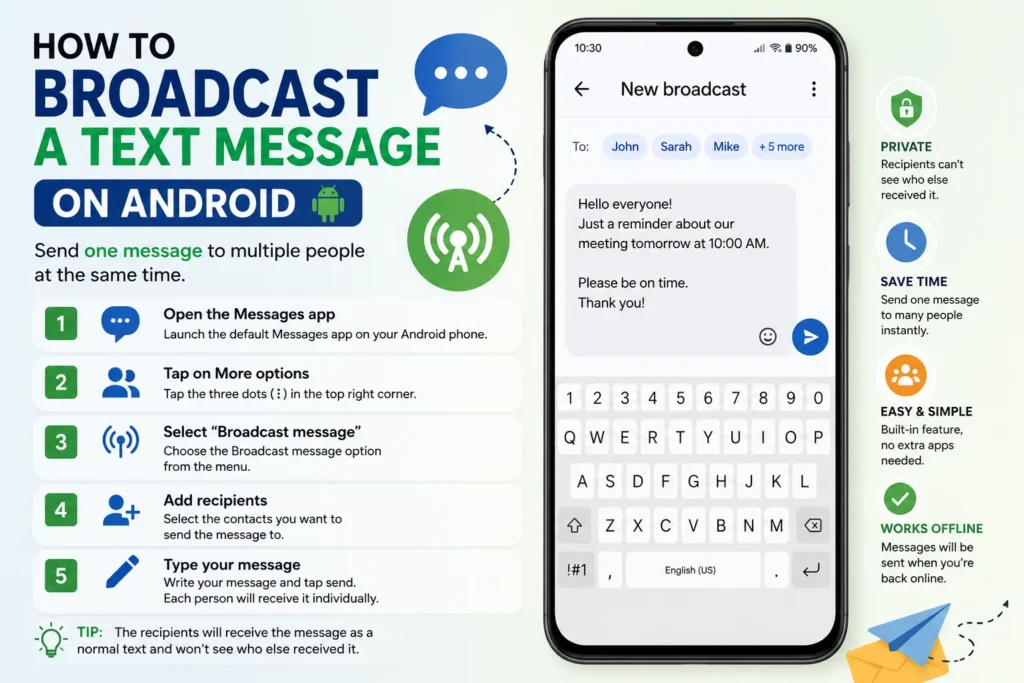
How to Broadcast a Text Message on Android
Android gives you several ways to broadcast a text message, making it one of the most flexible platforms for mass communication. Depending on your phone model, you can use the default messaging app, automation tools, or dedicated broadcast apps.
Method 1: Using Google Messages
Many Android devices include Google Messages, which lets you send one message to multiple contacts.
Steps
- Open Google Messages.
- Tap Start Chat.
- Select multiple contacts.
- Type your message.
- Review your recipients.
- Tap Send.
This method works well for small groups, but remember that it may create a group conversation depending on your messaging settings.
Method 2: Use a Broadcast Messaging App
If you want each person to receive your message privately, consider using a trusted broadcast messaging app. These tools are useful for businesses, schools, community groups, and organizations that regularly send updates.
Most apps allow you to:
- Send messages to multiple contacts individually.
- Schedule broadcasts for later.
- Organize contact lists.
- Personalize messages with names.
- Track message delivery.
Things to Remember
- Make sure recipients have given permission to receive your messages.
- Keep your broadcasts relevant and helpful.
- Review your contact list regularly to avoid sending messages to the wrong people.
How to Broadcast a Message on iPhone
If you’re an iPhone user, you may notice that the Messages app doesn’t offer a true broadcast a message feature like some other platforms. However, you can still send the same message to multiple contacts or automate reminders using Apple’s built-in tools.
Method 1: Send to Multiple Contacts
- Open the Messages app.
- Tap the New Message icon.
- Add the contacts you want to message.
- Type your message and tap Send.
This method is quick for personal use, but it may create a group conversation if everyone uses iMessage.
Method 2: Use Apple Shortcuts
If you want to automate reminders or recurring messages, the Shortcuts app is a great option. You can create personal automations that send messages at specific times, making it useful for birthdays, meeting reminders, or daily notifications.
💡 Expert Tip: Before installing any third-party messaging app, check its App Store reviews, privacy policy, and permissions. Trusted apps are safer and help protect your personal information.
What Is Broadcast Message in WhatsApp?
A WhatsApp Broadcast List lets you send one message to multiple contacts individually. Unlike a group chat, recipients receive your message as a private conversation and cannot see who else received it. This makes it one of the best ways to share announcements while keeping replies private.
How to Create a Broadcast List
- Open WhatsApp.
- Tap the three-dot menu (Android) or Broadcast Lists (iPhone).
- Select New Broadcast.
- Choose the contacts you want to include.
- Tap Create.
- Type your message and send it.
Important Things to Remember
- Recipients must have your phone number saved in their contacts.
- Replies are sent only to you.
- Other recipients cannot see each other’s responses.
- You can edit and reuse your Broadcast List anytime.
Broadcast List vs. WhatsApp Group
A Broadcast List is designed for announcements and updates, while a WhatsApp Group is better for discussions where everyone needs to interact.
If you run a small business or regularly send reminders, Broadcast Lists are an excellent way to communicate professionally without creating unnecessary group chats.
How to Broadcast a Message on Google Home
Google Home makes family communication simple with the Broadcast feature. Instead of sending a text message, Google Assistant plays your spoken message across all compatible Google Nest and Google Home devices connected to your account.
Here’s How
- Say “Hey Google.”
- Say “Broadcast a message.”
- Speak your message clearly.
For example:
- “Dinner is ready!”
- “Please come downstairs.”
- “We’re leaving in ten minutes.”
- “Movie night starts now!”
This feature is especially helpful for busy households because everyone hears the announcement without needing a phone call or text message.
100+Text Message Reminder: Best Samples & Examples
Best Apps for Broadcast Messaging
If you frequently need to broadcast a message, choosing the right app can save time and improve communication.
| App | Best For | Main Benefit |
|---|---|---|
| Personal & Business | Private Broadcast Lists | |
| Google Messages | Android | Simple group texting |
| Telegram | Communities | Large audience support |
| Signal | Privacy | Secure messaging |
| SKEDit | Automation | Schedule broadcast messages |
Choose an app that offers strong security, regular updates, and positive user reviews. Avoid apps that ask for unnecessary permissions or promise unrealistic bulk messaging features.
Tips for Sending Better Broadcast Messages
A good broadcast message should be short, clear, and useful. Most people decide within a few seconds whether they will continue reading, so start with your most important information.
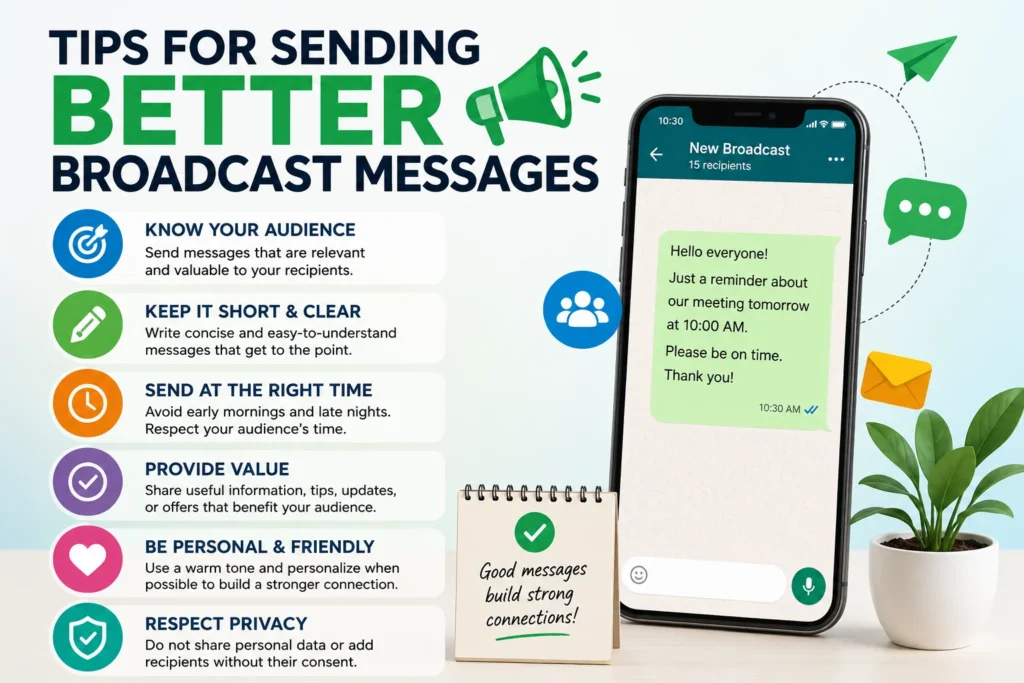
Follow these simple tips:
- Keep your message clear and easy to understand.
- Use a friendly and respectful tone.
- Double-check names, dates, and times before sending.
- Personalize the message whenever possible.
- Avoid sending too many broadcasts in a short period.
- Include a clear call to action if you expect a response.
Example:
Hi everyone! Our meeting will begin tomorrow at 10:00 AM. Please join five minutes early. Thank you!
Common Mistakes to Avoid
Even a useful broadcast message can lose its impact if it’s poorly written.
Avoid these common mistakes:
- Sending messages too frequently.
- Writing long paragraphs.
- Using unclear language.
- Forgetting to verify your contact list.
- Sending promotional messages without permission.
Keeping your messages relevant and respectful helps build trust with your audience.
90+Short Condolence Message in Spanish: Simple & Caring
Frequently Asked Questions
1. How can I broadcast a message?
You can broadcast a message using WhatsApp Broadcast Lists, Google Home, Android messaging apps, or trusted third-party apps. The method depends on your device and the type of message you want to send.
2. Can I broadcast a message on Android and iPhone?
Yes. Android offers several messaging and automation options, while iPhone users can use the Messages app, Apple Shortcuts, or trusted apps for advanced broadcasting.
3. What is a broadcast message used for?
Broadcast messages are commonly used for announcements, meeting reminders, business promotions, family updates, school notices, emergency alerts, and event invitations. They allow you to send one message to multiple people quickly.
4. Is a WhatsApp Broadcast List the same as a group chat?
No. A Broadcast List sends individual messages privately, while a group chat allows all participants to see each other’s messages and replies.
5. Which broadcast message app is the best?
The best app depends on your needs. WhatsApp is excellent for personal communication, Google Messages is great for Android users, Telegram supports large communities, and SKEDit is ideal for scheduling messages.
Conclusion
Learning how to broadcast a message is an easy way to communicate with multiple people while saving time and keeping your conversations organized. Whether you’re using Android, iPhone, WhatsApp, or Google Home, each platform offers reliable ways to share reminders, announcements, invitations, and important updates.
Choose the method that fits your needs, keep your messages short and meaningful, and always use trusted apps that protect your privacy. A well-written broadcast message isn’t just about reaching more people—it’s about delivering the right information at the right time. With the tips in this guide, you’re ready to communicate more efficiently and confidently.

Vira Solen writes heartfelt messages at Best Messege, helping readers express love, emotions, and meaningful thoughts through simple and beautiful words.