Sent the wrong Instagram message and hit Unsend right away? You’re not alone. Whether it was a typo, a message sent to the wrong person, or something you instantly regretted, it’s natural to wonder what actually happens after you remove it. Does the message disappear for both people? Will the other person know you unsent it? And is there any chance they still saw it?
Instagram’s Unsend feature can remove a message from the chat, but it doesn’t guarantee the recipient never saw it. If they read the message before you unsent it or viewed it through a notification, removing it won’t erase what they’ve already seen. Understanding how the feature works can help you avoid confusion and know what to expect.
In this guide, you’ll learn exactly what happens if you unsend a message on Instagram, whether the other person receives a notification, if they can still read the message, and the situations where the Unsend feature has limitations. By the end, you’ll have clear, accurate answers to the most common questions so you can use Instagram’s messaging features with confidence.
What Does It Mean to Unsend a Message on Instagram?
The Unsend feature lets you remove a message after you’ve already sent it through Instagram Direct Messages (DMs). It’s designed for moments when you send something by mistake or change your mind.
Unlike deleting an entire conversation, unsending only removes the specific message you choose. Once it’s removed, it disappears from the chat for both you and the other person.
You can use the feature for different types of messages, including:
- Text messages
- Photos
- Videos
- Voice messages
- GIFs
- Stickers
- Shared posts and reels
This makes the Unsend feature a simple way to correct mistakes without deleting the entire conversation.
What Happens If You Unsend a Message on Instagram?
If you unsend a message on Instagram, the selected message is removed from the conversation for everyone involved. It will no longer appear in the chat history for you or the recipient.
Here’s what happens after you tap Unsend:
- The message disappears from both sides of the conversation.
- The rest of the chat stays exactly the same.
- You can continue messaging normally.
- The removed message cannot be viewed in the conversation anymore.
However, unsending isn’t the same as turning back time. If the recipient already opened the chat before you removed the message, they may have already seen what you sent.
Example
Imagine you accidentally send “I’ll call you tonight ❤️” to the wrong friend instead of your partner.
If you notice the mistake right away and tap Unsend, the message disappears from the chat. But if your friend had already opened the conversation, they may have read it before it was removed.
That’s why it’s always best to unsend a message as quickly as possible.
Teams Out of Office Message: 75+ Professional Examples & Templates
Does Instagram Notify Someone When You Unsend a Message?
This is one of the most common questions people ask.
The good news is that Instagram does not normally send a new notification saying you unsent a message. In most cases, the other person won’t receive an alert that tells them you removed something from the conversation.
However, there are a few important things to remember:
- If they already received the original message notification, they may have seen part of your message in the notification preview.
- If they were already using Instagram and had the chat open, they could read the message before you removed it.
- If they took a screenshot or screen recording before you unsent it, that copy will still exist.
So, while Instagram doesn’t usually notify someone that you’ve unsent a message, it can’t erase something they’ve already seen or saved.
Unsend vs. Delete: What’s the Difference?
Many people confuse these two features, but they work differently.
| Delete Conversation | Unsend Message |
|---|---|
| Removes the conversation only from your account. | Removes the selected message from the chat for everyone. |
| The other person still has the conversation. | The chosen message disappears from both sides. |
| Deletes the entire chat from your inbox. | Removes only the message you selected. |
Knowing the difference helps you choose the right option when you want to remove something from Instagram.
Happy 30th Birthday Message: 100+ Heartfelt Wishes, Quotes & Greetings
How to Unsend a Message on Instagram
Removing a message only takes a few seconds.
Follow these simple steps:
- Open the Instagram app.
- Tap the Messages icon.
- Open the conversation.
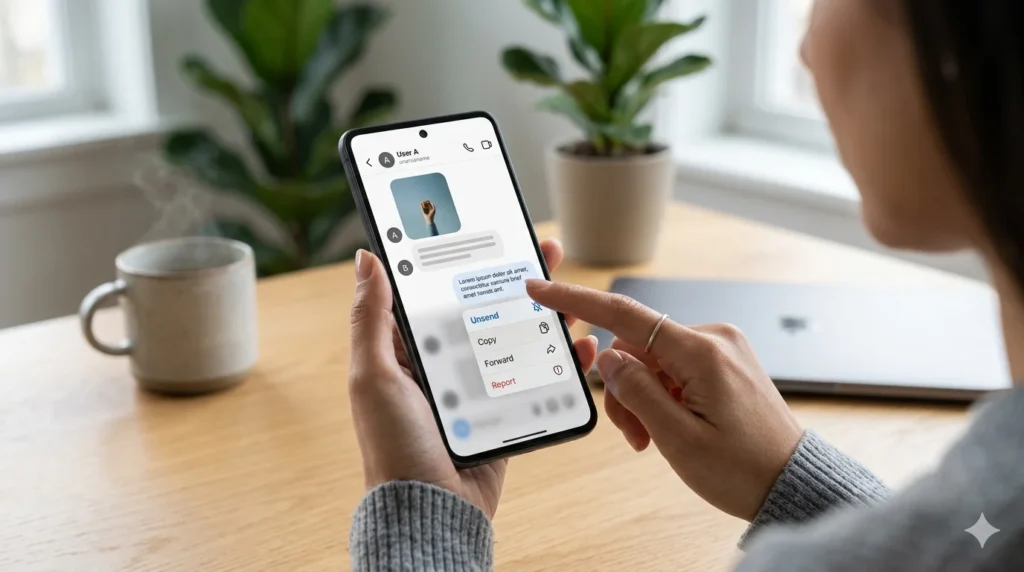
- Press and hold the message you want to remove.
- Tap Unsend.
- The message will disappear from the conversation for everyone.
Can You Unsend a Message on Instagram After They Read It?
Yes. You can unsend a message on Instagram even after the other person has read it. The message will be removed from the Instagram chat, but it won’t erase what they already saw.
Instagram’s Unsend feature removes the selected message from the conversation for everyone. However, if the recipient opened the chat before you removed it, they may still remember the message or have taken a screenshot.
Example
Imagine you accidentally send a private photo or an embarrassing text to the wrong person. If they read it before you tap Unsend, the message will disappear from the conversation, but they may still remember what they saw.
For this reason, it’s always best to remove a message as soon as you notice the mistake.
Can You Unsend a Message on Instagram After 24 Hours?
Yes. According to Instagram’s current messaging system, you can usually unsend a message even after 24 hours. There is generally no fixed time limit for removing a message from an Instagram Direct Message (DM).
Whether you sent the message yesterday, last week, or even months ago, the Unsend option is usually available.
Keep in mind, though, that removing an older message doesn’t undo everything. If the other person already read it, replied to it, or saved it with a screenshot, those actions can’t be reversed.
Since Instagram updates its features from time to time, the way the Unsend feature works could change in future app updates.
Why Can’t I Unsend a Message on Instagram?
If the Unsend option isn’t working, don’t panic. In most cases, the problem is temporary and easy to fix.
Some common reasons include:
- Your Instagram app is outdated.
- Your internet connection is unstable.
- Instagram is experiencing a temporary bug or server issue.
- The message was already removed.
- The app hasn’t synced with Instagram’s servers yet.
Try these simple fixes:
- Update Instagram to the latest version.
- Restart the app.
- Check your Wi-Fi or mobile data.
- Log out and log back into your account.
- Restart your phone and try again.
If the problem continues, waiting a few minutes often solves temporary server issues.
How to Unsend a Message on Instagram to Someone You Don’t Follow
Yes. You can still unsend a message on Instagram even if you don’t follow the other person. The process works almost the same as it does in a regular conversation.
Simply open the message request or chat, press and hold the message, and tap Unsend.
If the person hasn’t accepted your message request yet, removing the message quickly may prevent them from seeing it. However, if they already opened the request or viewed the conversation, they may have already read your message before it disappeared.
Tips Before You Unsend a Message on Instagram
The Unsend feature is helpful, but it’s not perfect. Keeping these tips in mind can help you avoid future mistakes.
- Act quickly if you send something by accident.
- Double-check the recipient before sending private information.
- Remember that screenshots can’t be removed.
- Don’t rely on Unsend for sensitive messages.
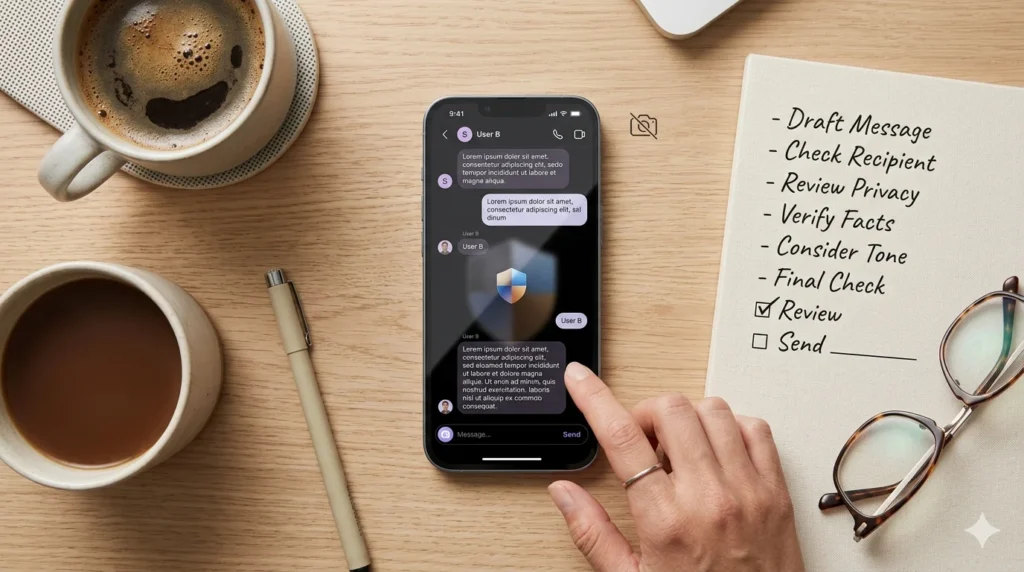
- Review your message before tapping Send whenever possible.
These simple habits can save you from awkward situations and help protect your privacy.
Frequently Asked Questions
Does Instagram notify when you unsend a message?
No. Instagram does not normally notify someone when you unsend a message. Once you remove the message, it disappears from the conversation for everyone. However, if the recipient already received the original notification or had the chat open, they may have seen the message before it was removed.
If I unsend a message on Instagram, does it delete it from both sides?
Yes. The Unsend feature removes the selected message from both your conversation and the recipient’s conversation. After it’s removed, the message is no longer visible in the Instagram chat. However, it can’t delete screenshots, screen recordings, or anything the other person already remembers.
Can you unsend a message on Instagram after they read it?
Yes. Instagram lets you unsend a message even after it has been read. The message disappears from the conversation, but it doesn’t erase the fact that the recipient already saw it. If they read, copied, or saved the message before you removed it, those actions can’t be undone.
When you unsend a message on Instagram, does the other person still see it?
It depends on the timing. If you remove the message before they open the conversation, they may never see it. If they already viewed the message, unsending removes it from the chat but won’t erase what they already read or remembered.
When you unsend a message on Instagram, does the other person still see the notification?
Instagram doesn’t usually send a new notification telling someone that you unsent a message. However, if the original notification appeared on their phone before you removed the message, they may have seen a preview of what you sent.
Conclusion
Sending a message by mistake can happen to anyone, but Instagram’s Unsend feature gives you a simple way to fix it. If you unsend a message on Instagram, it is removed from the conversation for everyone, making it useful when you’ve sent something to the wrong person or changed your mind.
Still, it’s important to understand the feature’s limits. Unsending a message cannot erase something that has already been read, remembered, or saved with a screenshot. That’s why acting quickly is always your best option.
Now that you know exactly how Instagram Direct Messages and the Unsend feature work, you can use them with more confidence and avoid common messaging mistakes. If you found this guide helpful, be sure to explore our other Instagram tips and messaging guides for more useful advice.

Sophie Linton is a reflective writer who finds beauty in everyday emotions and honest words. Her messages gently explore love, self-growth, and the quiet strength of human feelings.