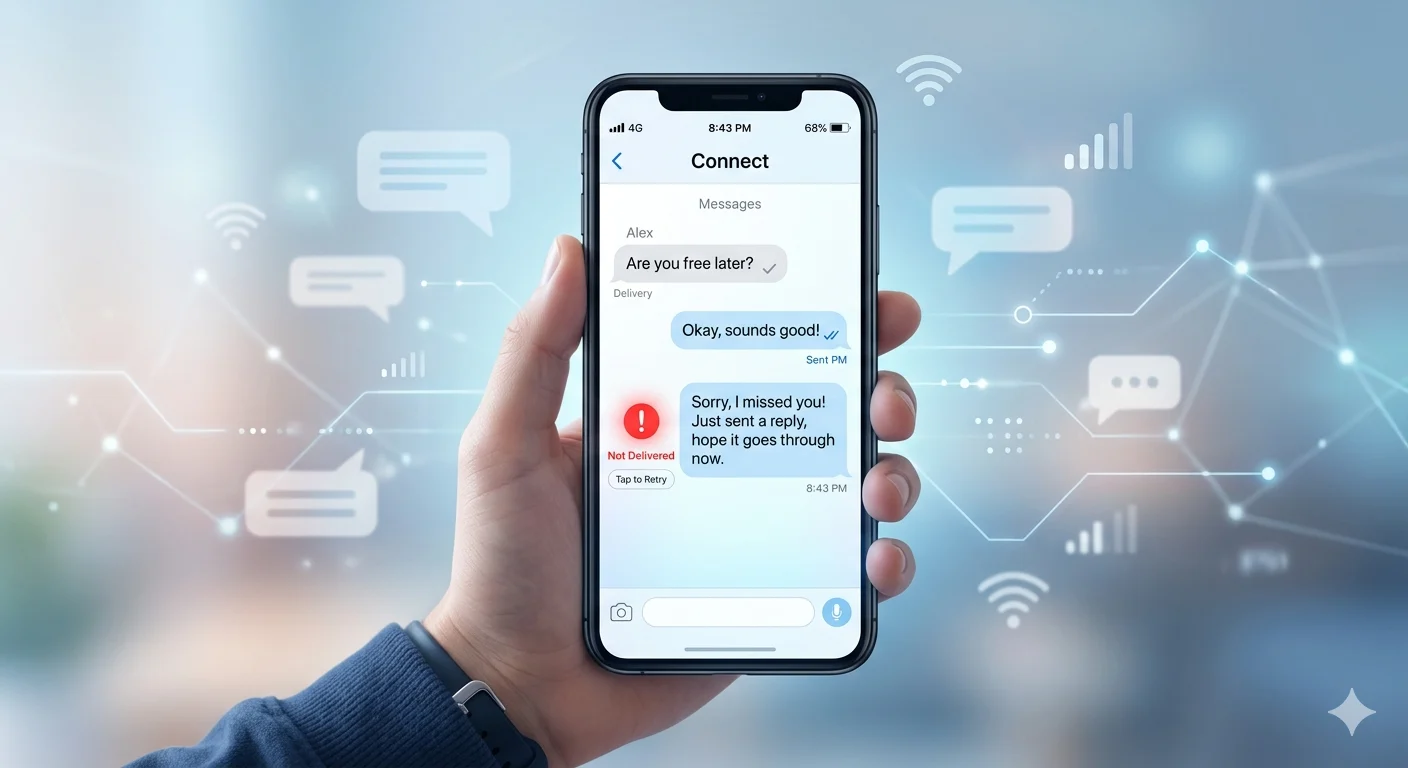
You send a message, wait for a reply, and suddenly see the words “not delivered.” That one small notification can instantly make you overthink—were you blocked, is their phone off, or is something wrong with your message? Many people panic when this happens because the meaning is not always clear.
In most cases, when a message is not delivered, it simply means your text could not reach the recipient due to internet problems, carrier issues, phone settings, or the other person’s device being unavailable. However, some situations can make people wonder if they have been ignored or blocked.
If you are searching for what it means when a message is not delivered, this guide will break down the most common reasons behind failed messages, what each situation could actually mean, and the easiest ways to fix the problem without stress or confusion.
Quick Answer: What Does It Mean When a Message Is Not Delivered?
A message not delivered usually means your text could not reach the other person’s device. This often happens because of internet problems, poor signal strength, phone settings, app glitches, carrier issues, or the receiver being offline. In some cases, blocked numbers can also prevent delivery.
Common Reasons Messages Do Not Deliver
Before jumping to conclusions, it helps to understand why messages sometimes fail. Most of the time, the issue is temporary and easy to fix.
| Reason | Meaning |
|---|---|
| Weak Internet | Apps cannot connect properly |
| Poor Mobile Signal | SMS fails to send |
| Phone Turned Off | Receiver is unavailable |
| Airplane Mode | Signals are disabled |
| App Problems | Messaging app not working correctly |
| Carrier Outage | Mobile network issue |
| Outdated Software | Old versions may glitch |
| Full Phone Storage | Device cannot process messages |
| Wrong Number | Message cannot reach the person |
| Blocked Contact | Delivery may be restricted |
Why Would a Text Message Not Be Delivered on iPhone?
Many iPhone users see “Not Delivered” beside their messages at some point. While it can feel stressful, the issue is usually linked to internet problems or Apple services.
Here are the most common reasons iPhone messages fail to send properly.
Possible Cause:
Your Wi-Fi or mobile data connection may be weak.
Technical Issue:
Apple’s iMessage servers could be temporarily down.
Another Reason:
The receiver’s iPhone may currently be turned off.
Common Problem:
Outdated iOS software can interrupt message delivery.
Network Delay:
Poor signal strength may slow down texts.
Device Glitch:
iMessage settings might need refreshing.
Important Note:
The person may have switched from iPhone to Android.
Privacy Reason:
Your number could be blocked by the receiver.
Storage Problem:
Low storage space may affect messaging apps.
Easy Fix:
Restart your iPhone and resend the message.
Hawkeye Message Board: Latest News, Rumors & Fan Talk
Why Would Messages in Messenger Be Sent but Not Delivered?
Messenger uses different delivery stages. “Sent” means Facebook received your message, while “Delivered” means it successfully reached the other person’s device.
When words fail and delivery notifications stop updating, these reasons may explain the issue.
Possible Explanation:
The receiver may not have internet access right now.
Temporary Issue:
Their phone might currently be switched off.
App Problem:
Messenger may need updating.
Technical Delay:
Facebook servers sometimes slow down during busy hours.
Simple Reason:
The person may not have opened Messenger recently.
Network Problem:
Weak Wi-Fi can delay delivery notifications.
Privacy Setting:
Restricted accounts behave differently from blocked ones.
Account Issue:
The profile may be temporarily deactivated.
Important Reminder:
“Sent” does not always mean the message was seen.
Helpful Advice:
Most Messenger delivery issues resolve automatically later.
Why Would a Text Message Not Be Delivered on Android?
Android devices can experience messaging problems for many different reasons. In most situations, the issue is connected to network settings or temporary software glitches.
Here are the most common causes behind Android delivery failures.
Common Reason:
Your mobile signal may currently be too weak.
Technical Problem:
SMS settings may not be configured correctly.
Carrier Issue:
Mobile providers sometimes experience outages.
Device Glitch:
The messaging app may need an update.
SIM Card Problem:
A damaged SIM card can interrupt texting.
Receiver Issue:
The other person may be outside network coverage.
Storage Problem:
A full inbox can stop new messages from arriving.
Software Bug:
Recent updates may temporarily affect SMS services.
Privacy Reason:
The receiver may have blocked your number.
Easy Solution:
Restarting the device often solves Android messaging issues.
What Does It Mean When a Message Is Not Delivered on Messenger?
If you keep wondering what does it mean when a message is not delivered on Messenger, the answer is often connected to internet activity or account settings.
Most failed deliveries are temporary rather than personal.
Possible Cause:
The person may currently be offline.
Connection Problem:
Poor internet can delay delivery notifications.
Server Delay:
Messenger servers may be overloaded.
Account Issue:
The receiver’s account could be disabled temporarily.
Technical Glitch:
The app may not be working correctly.
Common Situation:
The person may be traveling without service.
Privacy Setting:
Restricted chats work differently from blocked chats.
Important Note:
Messages can still deliver hours later automatically.
Helpful Reminder:
Failed delivery does not always mean rejection.
Best Advice:
Give the situation a little time before assuming the worst.
Best Tinder First Messages That Actually Get Replies
Why Does My Message Not Say Delivered on WhatsApp?
WhatsApp uses check marks to explain message status. Understanding these symbols can help reduce stress and confusion quickly.
| WhatsApp Symbol | Meaning |
|---|---|
| One Gray Check | Message sent only |
| Two Gray Checks | Message delivered |
| Two Blue Checks | Message read |
Here are the most common reasons your WhatsApp messages may not show as delivered.
Internet Problem:
The receiver may not currently have internet access.
Simple Reason:
Their phone could be switched off.
Signal Issue:
Weak connection may delay delivery updates.
Server Problem:
WhatsApp servers occasionally experience outages.
Privacy Setting:
Read receipts may be disabled.
Device Issue:
The app may require an update.
Travel Situation:
The person may be in an area with poor service.
Technical Explanation:
One gray check means the message reached WhatsApp servers only.
Important Note:
Blocking is possible but not always the reason.
Helpful Advice:
Many WhatsApp delivery issues fix themselves automatically.
Why Aren’t My Texts Delivering to a Certain Person but I’m Not Blocked?
This situation can feel personal and frustrating. But many technical reasons can stop texts from reaching one specific person without blocking being involved.
Here are some common explanations.
Possible Reason:
The receiver’s phone may currently be turned off.
Network Problem:
Their mobile coverage could be extremely weak.
App Glitch:
The messaging app may keep crashing unexpectedly.
Storage Issue:
Their inbox may be completely full.
Number Change:
The person may have recently changed numbers.
Carrier Delay:
Mobile networks sometimes fail temporarily.
Technical Error:
Spam filters can accidentally block texts.
SIM Conflict:
Dual SIM settings may interrupt message delivery.
Important Reminder:
Muted chats are different from blocked numbers.
Best Solution:
A polite phone call may clear up confusion quickly.
Does a Not Delivered Message Mean Blocked?
Many people fear they have been blocked when messages stop delivering. While blocking is one possible reason, it is far from the only explanation.
Most undelivered messages are caused by technical issues instead.
Possible Sign:
Repeated failed texts may sometimes indicate blocking.
Common Reality:
Weak internet often creates similar symptoms.
Technical Explanation:
A powered-off phone may stop delivery updates.
App Behavior:
Some apps never clearly confirm blocking.
Network Issue:
Carrier outages can delay messages for hours.
Another Possibility:
The person may simply be offline or busy.
Important Reminder:
No reply does not automatically mean rejection.
Helpful Advice:
Avoid making quick assumptions too soon.
Better Approach:
Respectful communication matters more than delivery icons.
Final Thought:
Patience often reveals the real answer later.
Will a Not Delivered Message Eventually Send?
Yes, many failed messages eventually send automatically after the issue disappears. Delayed delivery is especially common during weak internet connections or temporary outages.
Here’s why delayed messages sometimes arrive later.
Common Reason:
Internet service may reconnect automatically.
Technical Cause:
Mobile carriers often resend pending texts.
Temporary Issue:
Messaging servers usually recover quickly.
Signal Problem:
The receiver may move into better coverage.
Device Refresh:
Restarting phones can trigger delivery instantly.
Software Fix:
Updated apps usually work more smoothly.
Travel Situation:
Airplane Mode may have been turned off later.
Server Delay:
Heavy traffic can slow messaging systems.
Helpful Reminder:
Delayed texts may appear hours afterward.
Best Advice:
Resend the message if the issue continues.
What to Do If SMS Is Not Delivered
If your messages keep failing, these troubleshooting steps can solve most problems quickly.
Quick Fix:
Restart your phone completely.
Helpful Step:
Check your internet or mobile signal strength.
Easy Solution:
Turn Airplane Mode on and off once.
Technical Fix:
Update your messaging app immediately.
Device Cleanup:
Clear unnecessary phone storage.
Important Check:
Confirm the phone number is correct.
Connection Reset:
Switch between Wi-Fi and mobile data.
SIM Refresh:
Remove and reinsert your SIM card.
Carrier Support:
Contact your mobile network provider for help.
Final Option:
Wait a few minutes and resend the message.
How Can I Tell If Someone Blocked My Texts?
There is no perfect way to confirm blocking, but some signs may help you understand the situation better.
Possible Sign:
Your messages never show as delivered.
Phone Clue:
Calls may go directly to voicemail.
WhatsApp Sign:
Messages remain stuck on one gray check.
iPhone Clue:
iMessages may switch from blue to green.
Social Hint:
You stop seeing profile updates or statuses.
Communication Change:
Replies suddenly stop completely.
Technical Sign:
Delivery receipts disappear unexpectedly.
Important Reminder:
Network problems can create similar symptoms.
Better Approach:
Avoid jumping to conclusions immediately.
Final Advice:
Clear and respectful communication matters most.
FAQs About What Does It Mean When a Message Is Not Delivered
Why would a text message not be delivered on iPhone?
This usually happens because of weak internet, Apple server issues, disabled iMessage settings, or the receiver’s device being offline.
Why would Messenger messages be sent but not delivered?
It often means Facebook received the message, but it has not yet reached the other person’s device.
Why are my messages not delivering but I’m not blocked?
Weak signals, app glitches, carrier outages, spam filters, and storage problems can all stop delivery without blocking being involved.
Why does my message not say delivered on WhatsApp?
The receiver may be offline, using weak internet, or have their phone turned off. Blocking is only one possible reason.
Will a not delivered message eventually send?
Yes. Many delayed messages automatically send once internet or mobile service returns.
Conclusion
Searching for what does it mean when a message is not delivered can feel stressful, especially when you care about the person you are trying to contact. But in most situations, the issue is temporary and completely technical.
Weak internet, poor mobile signals, app glitches, carrier outages, and phone settings are usually the real reasons behind failed delivery notifications. While blocking is possible, it is much less common than many people think.
We hope this guide helped you understand why messages sometimes fail to deliver and what you can do to fix the problem. Feel free to share these tips with friends or loved ones who may also be dealing with messaging issues.
If you found this article helpful, you may also enjoy reading our guides on WhatsApp check marks, unread message meanings, and social media messaging tips.

Adam Sinclair is a thoughtful writer who believes clarity and emotion make words powerful. His writing focuses on life lessons, relationships, and messages that quietly stay with the reader.