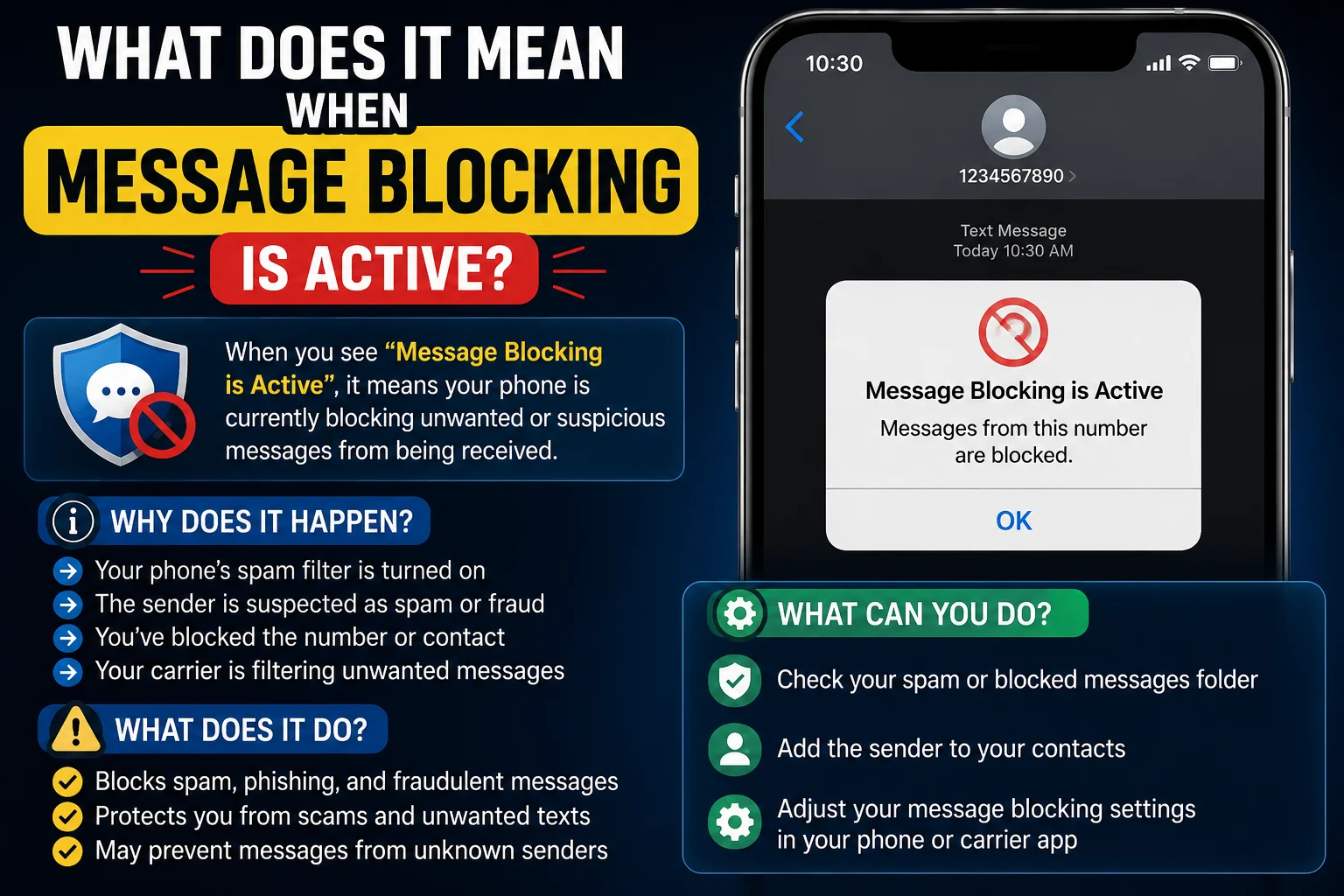
Seeing the “Message Blocking Is Active” error can be confusing and frustrating, especially when an important text message won’t send. If you’re wondering what does it mean when message blocking is active, you’re not alone. Many people assume it means they’ve been blocked by the recipient, but that’s not always true.
In many cases, this error is caused by carrier restrictions, account issues, messaging settings, an inactive mobile plan, or temporary network problems. The good news is that most of these issues are easy to identify and fix without needing advanced technical knowledge.
In this guide, you’ll learn what does it mean when message blocking is active, why the error appears, the most common causes behind it, and the step-by-step solutions to get your messages working again. Whether you use an Android phone or an iPhone, you’ll find simple, practical tips to troubleshoot the problem and know when it’s time to contact your mobile carrier.
What Does “Message Blocking Is Active” Mean?
Seeing the “Message Blocking Is Active” error simply means your phone was unable to send a text message because something is preventing it from being delivered. The restriction can come from your mobile carrier, your phone’s settings, or the recipient’s messaging configuration.
This error is commonly seen when sending SMS or MMS messages. While many people immediately think they’ve been blocked, that’s only one possible explanation. In reality, there are several other reasons that are much more common.
Some of the most frequent causes include:
- Your mobile plan doesn’t include texting.
- Your carrier has temporarily restricted messaging.
- SMS or MMS settings are incorrect.
- Network service is unavailable.
- The recipient’s number is invalid or inactive.
- A messaging restriction is enabled on your account.
Understanding the real cause is the first step toward fixing the problem instead of making assumptions.
Why Does “Message Blocking Is Active” Appear?
There are several reasons why this error appears, and most of them are easy to fix once you identify the source.
One common reason is a carrier restriction. If your account has an unpaid bill, a suspended line, or messaging has been disabled, your carrier may block outgoing text messages until the issue is resolved.
Another possibility is incorrect phone settings. For example, if SMS messaging is disabled, your message app has permission issues, or your device hasn’t updated its network settings, messages may fail to send.
Network problems can also trigger this error. Poor signal strength, temporary service outages, or SIM card issues may interrupt message delivery.
Sometimes the problem is related to the person you’re texting. Their phone may be switched off, their number may no longer be active, or they may have enabled settings that prevent your messages from being received.
Instead of assuming you’ve been blocked, check these possibilities first. In most cases, the solution is much simpler than people expect.
Does Message Blocking Is Active Mean They Blocked You?
When you see the “Message Blocking Is Active” error, it’s natural to wonder if the other person has blocked your number. However, the answer is not always.
While a blocked number can sometimes prevent your text from being delivered, this error usually points to a carrier, account, or device issue instead. In many cases, people see this message because of network restrictions, disabled SMS services, incorrect settings, or problems with their mobile plan.
If someone has blocked your number, you may notice other signs as well, such as:
- Your calls go straight to voicemail every time.
- Your text messages never receive a response.
- You can’t see updates to their profile on certain messaging apps.
Even then, none of these signs can confirm that you’ve been blocked. The only reliable way to know is if the other person tells you directly.
Before jumping to conclusions, try these simple checks:
- Send a message to another contact.
- Restart your phone.
- Check if your mobile service is active.
- Make sure your messaging plan hasn’t expired.
- Contact your carrier if the problem continues.
In most situations, message blocking is active is a technical issue—not proof that someone has blocked you.
What Does It Mean When Message Blocking Is Active on iPhone?
If you’re using an iPhone, this error usually means your device cannot send SMS or MMS messages because of a settings issue, carrier restriction, or network problem.
Unlike iMessage, regular text messages rely on your mobile carrier. If SMS isn’t working properly, your iPhone may display the “Message Blocking Is Active” error when you try to send a message.
Some common reasons include:
- SMS Messaging is turned off.
- Your carrier account has a restriction.
- Your SIM card isn’t working correctly.
- Airplane Mode is enabled.
- Your iPhone needs a carrier settings update.
- Network settings have become corrupted.
How to Fix It on iPhone
Follow these steps:
- Check that SMS Messaging is enabled in your settings.
- Turn Airplane Mode off if it’s enabled.
- Restart your iPhone.
- Install any available iOS or carrier updates.
- Reset your network settings if the issue continues.
- Contact your mobile carrier to confirm your messaging service is active.
In many cases, these simple steps restore normal messaging within a few minutes.
What Does It Mean When Message Blocking Is Active on Android?
Android phones can show the same error for several reasons, but the solution is often straightforward.
The message usually appears when your phone cannot communicate with your carrier’s messaging service. This can happen because of incorrect settings, a faulty SIM card, software bugs, or temporary network problems.
Other possible causes include:
- Your messaging app has been disabled.
- SMS permissions have been turned off.
- Your mobile balance or plan has expired.
- The recipient’s number is entered incorrectly.
- A carrier restriction is preventing text messages.
How to Fix It on Android
Try these troubleshooting steps:
- Restart your Android phone.
- Check that your SIM card is inserted correctly.
- Confirm you have a strong mobile signal.
- Update your Messages app and Android software.
- Clear the cache of your messaging app.
- Reset your network settings if needed.
- Contact your carrier if the error still appears.
What Does It Mean When Message Blocking Is Active on Samsung?
Samsung phones use the Android operating system, so the “Message Blocking Is Active” error usually has similar causes. However, Samsung devices also include features like Modes and Routines, advanced network settings, and Samsung Messages, which can sometimes affect text messaging.
If you see this error on your Samsung phone, don’t panic. It often points to a temporary issue rather than a permanent problem.
Common Causes
- Messaging services are restricted by your carrier.
- Your SIM card isn’t working properly.
- Samsung Messages or Google Messages has a software issue.
- Network settings need to be refreshed.
- Your mobile plan no longer supports SMS.
How to Fix It
- Restart your Samsung phone.
- Update your phone to the latest software version.
- Clear the cache of your messaging app.
- Reset your network settings.
- Test your SIM card in another phone.
- Contact your carrier if the problem continues.
These simple steps solve the issue for many Samsung users.
130+Happy Birthday Message to Daughter. Heartfelt Wishes
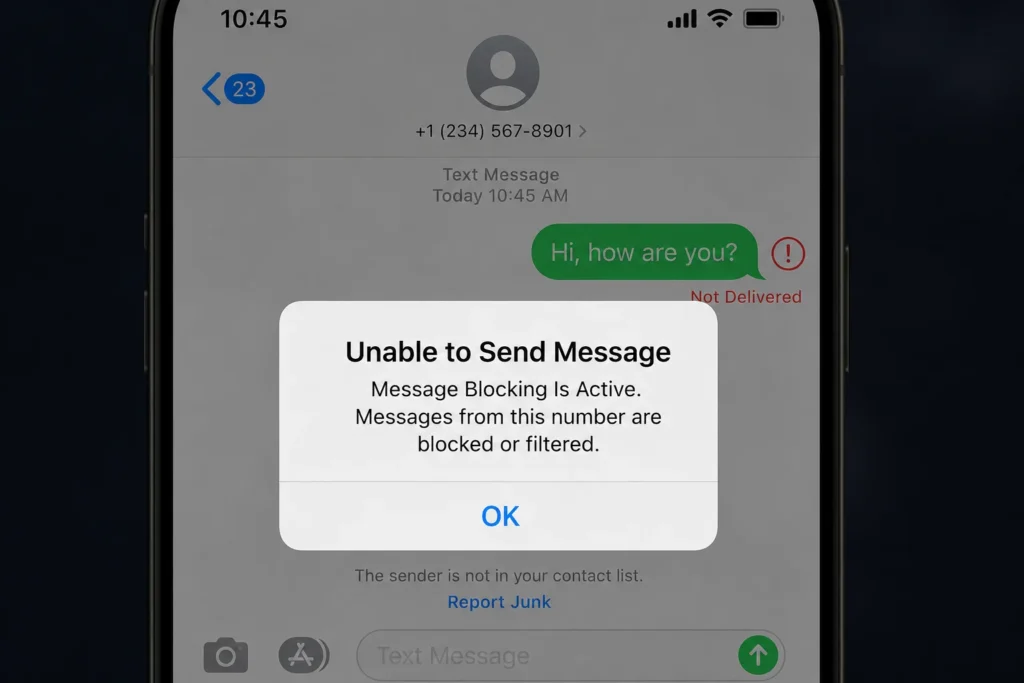
Unable to Send Message – Message Blocking Is Active
If you’re a T-Mobile customer, this error often appears because of an account or network restriction rather than a problem with your phone.
Possible reasons include:
- Your account has been suspended.
- Your line doesn’t include SMS services.
- Your bill is overdue.
- A temporary network outage is affecting messaging.
- A line restriction has been added to your account.
How to Turn Off Message Blocking on T-Mobile
- Verify your account is active.
- Check that texting is included in your plan.
- Restart your device after inserting the SIM card again.
- Update your carrier settings.
- Contact T-Mobile support if the restriction remains.
In many cases, the issue is resolved after the carrier refreshes your account.
Metro by T-Mobile: Message Blocking Is Active
Metro by T-Mobile users may also receive this error if there is a problem with their account or messaging service.
Common causes include:
- An inactive line.
- Insufficient account balance.
- Temporary network maintenance.
- Incorrect APN or messaging settings.
- SIM card issues.
If restarting your phone and checking your account doesn’t help, contact Metro by T-Mobile support to confirm there are no restrictions on your line.
How to Disable Message Blocking
If you want to disable message blocking, first identify what’s causing it. There isn’t a single switch that turns it off because the restriction may come from your phone, your carrier, or your account.
Try these solutions:
- Make sure your mobile plan supports SMS.
- Turn Airplane Mode off.
- Restart your phone.
- Update your messaging app.
- Reset network settings.
- Reinsert your SIM card.
- Contact your carrier if the problem continues.
Following these steps resolves the issue for most users.
Dallas Cowboys Message Board: Latest News & Fan Discussions
Common Causes and Step-by-Step Troubleshooting
If you’re still seeing “Message Blocking Is Active,” work through this checklist:
✔ Check your mobile signal.
✔ Confirm your account is active.
✔ Verify the recipient’s phone number.
✔ Restart your device.
✔ Update your phone and messaging app.
✔ Reset network settings.
✔ Test your SIM card in another device.
✔ Send a message to a different contact.
✔ Remove any blocked contacts by mistake.
✔ Contact your mobile carrier if none of the above works.
Working through these steps one by one helps you identify the exact cause without guessing.
Frequently Asked Questions
1. Does Message Blocking Is Active mean they blocked you?
No. This error does not automatically mean someone has blocked your number. It is more commonly caused by carrier restrictions, account issues, network problems, or incorrect messaging settings.
2. Why does my iPhone say Message Blocking Is Active?
Your iPhone may display this message if SMS is disabled, your carrier has restricted messaging, your SIM card has an issue, or your network settings need to be updated.
3. How do I know if someone is blocking my messages?
There is no reliable way to confirm this from the error alone. If your calls always go to voicemail and your texts never receive replies, it’s possible—but these signs are not proof that you’ve been blocked.
4. How do I turn off Message Blocking on Android?
Restart your phone, check your messaging settings, update your software, reset network settings, and confirm that your mobile plan includes SMS. If the problem remains, contact your carrier.
5. What does “Free Message: Receiver Unable to Receive Message – Message Blocking Is Active” mean?
This message usually means the recipient cannot receive SMS at that moment because of a carrier restriction, inactive service, blocked messaging, or another technical issue. It doesn’t always mean the recipient has blocked you.
Conclusion
Seeing the “Message Blocking Is Active” error can be frustrating, but in most cases, it’s a temporary technical issue rather than a sign that someone has blocked your number. Problems with your carrier, network, SIM card, or phone settings are far more common and are often easy to fix.
By following the troubleshooting steps in this guide, you can quickly identify the cause and restore your messaging service. If the issue still doesn’t go away, your mobile carrier can help check for account restrictions or network problems.
If you found this guide helpful, explore our other messaging tips and troubleshooting articles to solve common texting issues and stay connected with confidence.

Alex Rowan is a passionate writer who believes simple words can express deep emotions. He writes heartfelt messages and quotes inspired by love, life, and human connection.