Choosing between iMessage and text messages can be confusing, especially when both are used for everyday communication. Although they may seem similar, the way they work, the features they offer, and the overall user experience are quite different.
Understanding the difference between iMessage and text messages can help you communicate more effectively, avoid messaging issues, and make the most of your device. From internet-based messaging to traditional carrier-supported texts, each option has its own advantages.
In this guide, we’ll compare iMessage vs text message in detail, including features, costs, security, compatibility, and key differences, so you can decide which messaging option best suits your needs.
What Is iMessage?
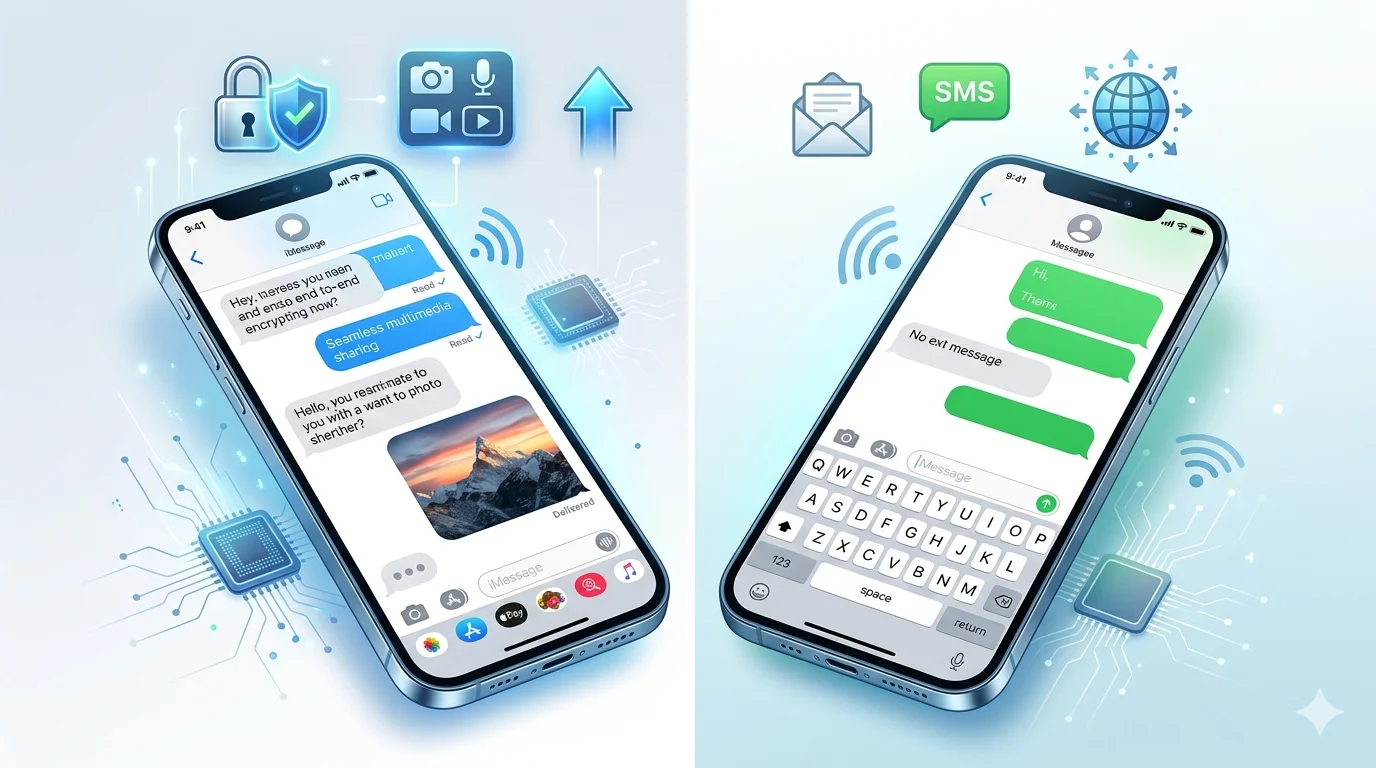
iMessage is Apple’s messaging platform built into iPhones, iPads, Macs, and other Apple devices. Unlike traditional texting, iMessage sends messages through the internet using Wi-Fi or mobile data.
When both the sender and recipient use Apple devices with iMessage enabled, messages are delivered through Apple’s servers instead of the cellular network.
Key Features of iMessage
- Blue message bubbles
- Read receipts
- Typing indicators
- End-to-end encryption
- High-quality photo and video sharing
- Group messaging
- Message reactions and effects
- Seamless syncing across Apple devices
Because iMessage uses the internet, it typically doesn’t count against your carrier’s SMS allowance.
What Is a Text Message?
A text message usually refers to SMS (Short Message Service) or MMS (Multimedia Messaging Service). These messages are sent through your mobile carrier instead of the internet.
Traditional text messaging works on nearly every mobile phone, making it one of the most universal communication methods available.
Features of Text Messages
- Green message bubbles on iPhone
- No internet required
- Works with almost all mobile devices
- Sent through your cellular carrier
- Supports basic communication
While text messages remain reliable, they lack many of the advanced features found in iMessage.
iMessage vs Text Message: Key Differences
The biggest difference between iPhone iMessage vs text message is the technology used to send messages.
| Feature | iMessage | Text Message (SMS/MMS) |
|---|---|---|
| Internet Required | Yes | No |
| Bubble Color | Blue | Green |
| Read Receipts | Yes | No |
| Typing Indicators | Yes | No |
| Encryption | Yes | Usually No |
| Media Quality | High | Compressed |
| Apple Devices Only | Yes | No |
| Carrier Charges | Usually No | May Apply |
If you’re asking what is iMessage vs text message, the answer is simple: iMessage uses internet data, while text messages use your carrier’s network.
Heartfelt Good Luck Messages for Every Occasion
iMessage vs Text Message on iPhone
Understanding iMessage vs text message iPhone becomes easier when you look at the message bubbles.
Blue Messages
Blue bubbles mean your message was sent through iMessage. This happens when:
- Both users have Apple devices
- iMessage is enabled
- Internet access is available
Green Messages
Green bubbles mean your message was sent as SMS or MMS. This happens when:
- The recipient doesn’t use Apple devices
- iMessage is disabled
- Internet connectivity is unavailable
The bubble color is the quickest way to tell which messaging service your iPhone is using.
Which Is Better, iMessage or Text Message?
For most Apple users, iMessage offers a better experience because it includes advanced messaging features that traditional texting cannot match.
Benefits of iMessage
- Better privacy and security
- Free messaging over Wi-Fi
- Read receipts
- Typing indicators
- Higher-quality media sharing
- Improved group chats
Benefits of Text Messages
- Universal compatibility
- Works without internet access
- Reliable cellular network support
- Available on virtually every phone
If you mainly communicate with other Apple users, iMessage is usually the better choice. However, text messages remain essential for communicating with people who don’t use Apple devices.
Memphis Tigers Message Board: The Pulse of Tiger Nation
iMessage vs RCS
Many people compare iMessage vs RCS because both offer modern messaging features.
RCS stands for Rich Communication Services and is considered the next generation of texting. It is widely used on Android devices and brings features that are similar to iMessage.
RCS Features
- Read receipts
- Typing indicators
- High-quality photo sharing
- Better group chats
- Internet-based messaging
iMessage Advantages
- End-to-end encryption
- Deep Apple ecosystem integration
- Better device syncing
RCS Advantages
- Works across many Android devices
- Improves communication between platforms
Today, both services provide a richer messaging experience than traditional SMS.
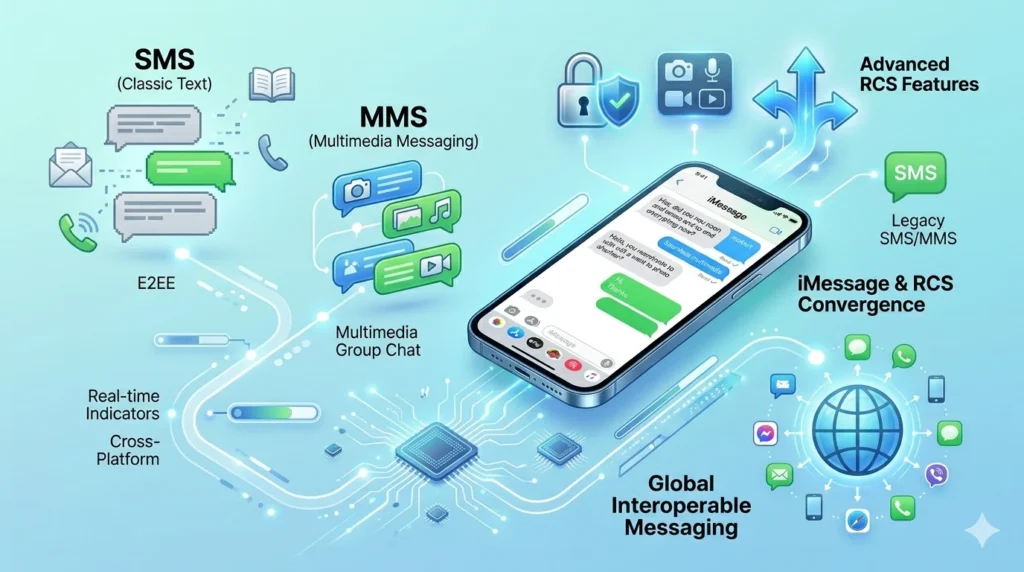
SMS vs MMS vs RCS Explained
Many users are confused about SMS vs MMS vs RCS. Understanding these terms makes messaging much easier.
SMS (Short Message Service)
SMS is the original text messaging standard.
Features include:
- Text only
- Up to 160 characters
- No media support
MMS (Multimedia Messaging Service)
MMS expanded texting by allowing media sharing.
Features include:
- Photos
- Videos
- Audio files
- Group messages
However, MMS often compresses media quality.
RCS (Rich Communication Services)
RCS is a modern upgrade to SMS and MMS.
Features include:
- Read receipts
- Typing indicators
- Better media quality
- Internet-based delivery
RCS combines the best aspects of texting and modern messaging apps.
Does Text Message RCS Mean Blocked?
One of the most common questions online is: Does text message RCS mean blocked?
The answer is no.
If a conversation changes from iMessage to SMS or RCS, it does not automatically mean that someone has blocked you.
Other possible reasons include:
- The recipient turned off iMessage
- Internet connectivity problems
- Device changes
- Carrier issues
- Apple server outages
Being blocked is only one possibility among many. A switch in messaging type alone is not proof.
How Do I Switch Between Text Message and iMessage?
If you want to control how your iPhone sends messages, follow these steps.
Turn On iMessage
- Open Settings.
- Tap Messages.
- Enable iMessage.
Turn Off iMessage
- Open Settings.
- Tap Messages.
- Disable iMessage.
You can also enable “Send as SMS” so your iPhone automatically sends a text message when iMessage isn’t available.
This flexibility allows you to stay connected regardless of your internet connection.
Why Does My iPhone Say iMessage Instead of Text Message?
Your iPhone determines which messaging service to use automatically.
It will display “iMessage” when:
- Both users have Apple devices.
- iMessage is enabled.
- Internet access is available.
It will display “Text Message” when:
- The recipient uses Android.
- iMessage is turned off.
- No internet connection is available.
This automatic switching helps ensure your message is delivered successfully.
Is an iMessage a Text Message?
Technically, an iMessage is a message sent in text form, but it is not the same as a traditional SMS text message.
iMessage
- Uses internet data
- Blue bubbles
- Apple-only service
- Advanced messaging features
Text Message
- Uses carrier networks
- Green bubbles
- Universal compatibility
- Basic messaging features
So while both allow you to send written messages, they rely on different technologies.
Frequently Asked Questions
Which is better, iMessage or text message?
For most Apple users, iMessage is better because it offers enhanced security, read receipts, and high-quality media sharing.
What is the main iMessage vs text message difference?
iMessage uses the internet, while text messages use your carrier’s cellular network.
Can I use iMessage without Wi-Fi?
Yes. iMessage works with either Wi-Fi or mobile data.
Why are my messages green instead of blue?
Green messages indicate SMS or MMS. This usually happens when the recipient isn’t using iMessage or internet access isn’t available.
What is Text Message RCS iPhone?
RCS is a modern messaging standard that provides features similar to iMessage, including typing indicators and improved media sharing.
Conclusion
Understanding iMessage vs text message helps you get the most out of your iPhone and avoid confusion when sending messages. While both options allow you to stay connected, they operate in different ways. iMessage provides a modern, feature-rich experience with better privacy, higher-quality media sharing, and useful tools like read receipts and typing indicators. Traditional text messages, on the other hand, remain valuable because they work on virtually every mobile phone.
Whether you’re comparing iMessage vs text message on iPhone, learning about RCS vs SMS, or trying to understand why your messages appear in different colors, knowing how these systems work can make communication much easier. Choose the option that best fits your needs, and enjoy a smoother messaging experience every day.

Adam Sinclair is a thoughtful writer who believes clarity and emotion make words powerful. His writing focuses on life lessons, relationships, and messages that quietly stay with the reader.