Struggling to understand how the Samsung Text Message App works or why your messages are not showing properly? Many Samsung users face issues like missing texts, confusion with default messaging settings, or not knowing how to fully use the app’s features.
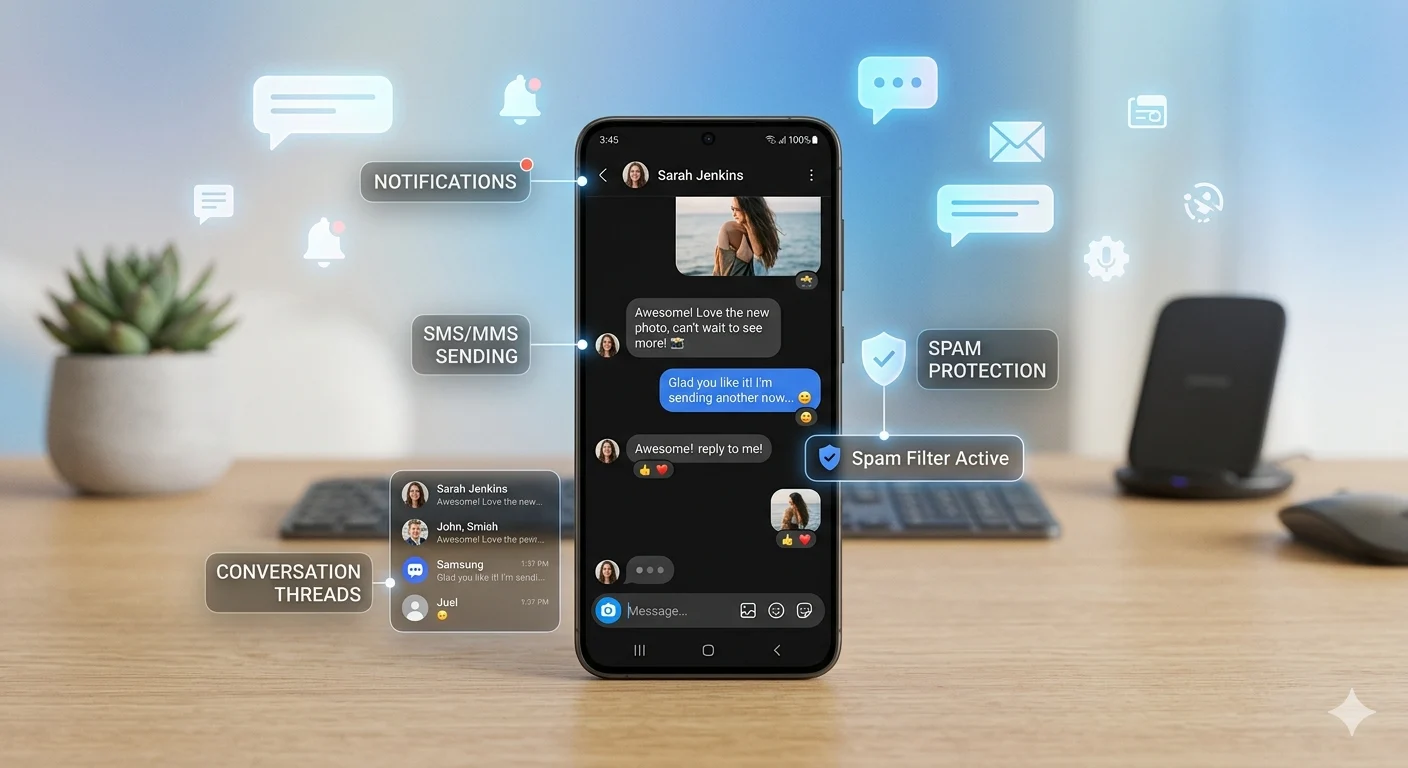
The Samsung Messages app is a built-in tool designed to make texting simple, fast, and organized. It allows you to send and receive SMS easily, manage conversations, block spam messages, customize notifications, and set it as your default messaging app with just a few taps.
In this complete guide, you will learn how to use the Samsung Text Message App step by step, fix common problems, and unlock useful features to improve your messaging experience. Whether you are a beginner or just looking to optimize your settings, this guide will help you take full control of your Samsung messaging app.
📱 What is Samsung Text Message App?
The Samsung text message app is a built-in messaging tool on Samsung devices used for sending SMS and MMS messages without any extra installation.
It is designed to be simple, fast, and easy for everyday communication.
Key points:
- Pre-installed on Samsung phones
- Used for SMS and MMS messaging
- Works without internet for texts
- Simple conversation-based layout
- Easy for all users
📲 Samsung Messages App Icon & Design
The Samsung text message app is easy to recognize by its chat bubble icon. The interface is designed to keep conversations clean and organized.
Key points:
- Chat bubble icon style
- Clean chat list layout
- Easy navigation
- Dark mode support
- Quick message access
How to Delete a Message Before It’s Seen
⚙️ Samsung Text Message Settings
Settings in the Samsung text message app help you control how messages behave on your device.
Key points:
- Manage notifications
- Block unwanted numbers
- Adjust message sounds
- Enable spam protection
- Control MMS settings
- Backup message data
⬇️ Samsung Text Message App Download
Many users search for Samsung text message app download, but in most cases the app is already installed on your device.
Key points:
- Pre-installed on Samsung phones
- Updates available in Galaxy Store
- No separate download needed usually
- APK files are not recommended
- Always use official sources
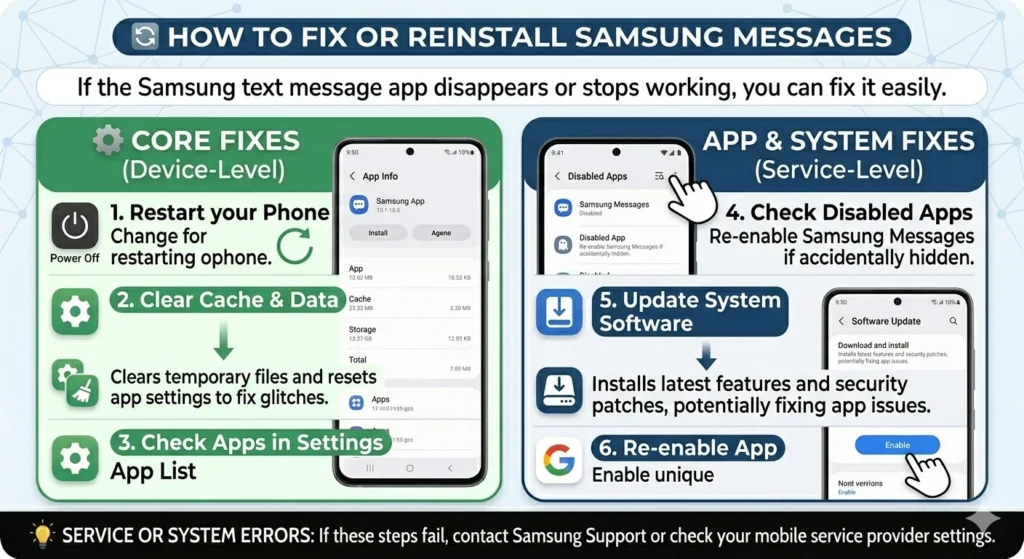
🔁 How to Fix or Reinstall Samsung Messages
If the Samsung text message app disappears or stops working, you can fix it easily.
Key points:
- Restart your phone
- Check disabled apps
- Clear cache and data
- Update system software
- Re-enable app in settings
⚡ Samsung Text Message App Not Working
Sometimes the app may freeze, delay messages, or stop sending.
Key points:
- Check mobile network
- Restart device
- Clear app cache
- Check SIM card
- Reset network settings
- Update messaging app
100+ Maintenance Message Examples for Websites and Systems
📉 Is Samsung Text Message App Going Away?
There are rumors, but the Samsung text message app is still available on many devices.
Key points:
- Not completely removed
- Some devices use Google Messages
- Still supported by Samsung
- Users can choose default app
- No need to worry
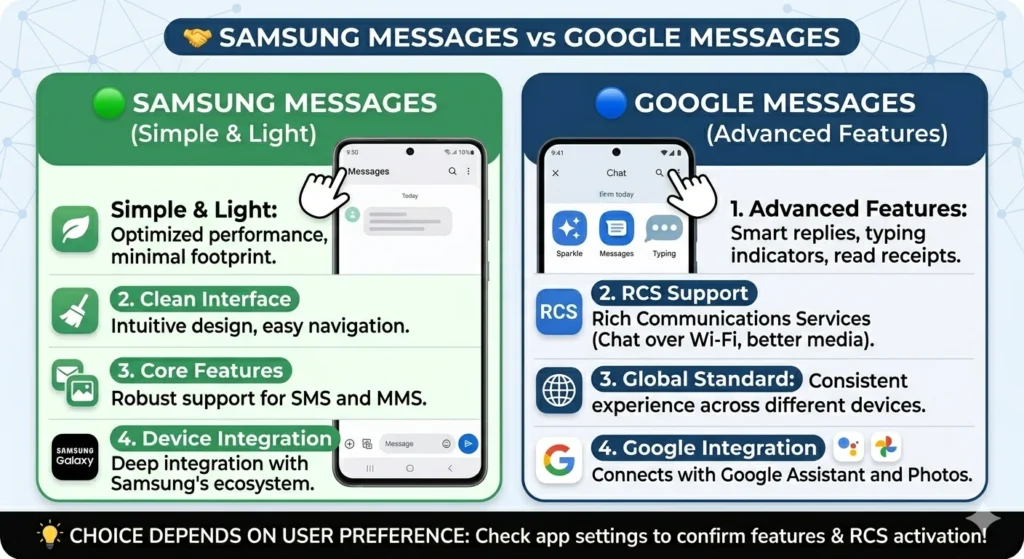
🤝 Samsung Messages vs Google Messages
Both apps are popular, but they offer different experiences.
Key points:
- Samsung app is simple and light
- Google Messages has advanced features
- Both support SMS and MMS
- Google supports RCS chat
- Choice depends on user preference
💡 Useful Tips
Improve your experience with the Samsung text message app using these simple tips.
Key points:
- Pin important chats
- Use search to find messages
- Turn on notifications
- Block spam messages
- Keep app updated
- Backup messages regularly
❓ FAQs
1. What is Samsung text message app?
It is the default SMS app used on Samsung phones for sending messages.
2. Why is my Samsung messages app not working?
It may be due to network issues, cache problems, or outdated software.
3. Can I reinstall Samsung Messages app?
Yes, you can re-enable or update it from settings or Galaxy Store.
4. Is Samsung Messages app going away?
No, it is still available, but some devices also use Google Messages.
5. Which is better, Samsung or Google Messages?
Both are good; Samsung is simple while Google has more features.
🌈 Conclusion
The Samsung text message app is still one of the most important tools for communication on Samsung devices. It is simple, reliable, and easy to use for everyday messaging.
Even if you face issues or see changes, most problems can be fixed easily with basic settings or updates. You also have the option to switch between Samsung Messages and Google Messages depending on your preference.
At the end, the best messaging app is the one that feels easiest and most comfortable for you. Stay connected, stay simple, and enjoy smooth communication every day. 💙

Adam Sinclair is a thoughtful writer who believes clarity and emotion make words powerful. His writing focuses on life lessons, relationships, and messages that quietly stay with the reader.