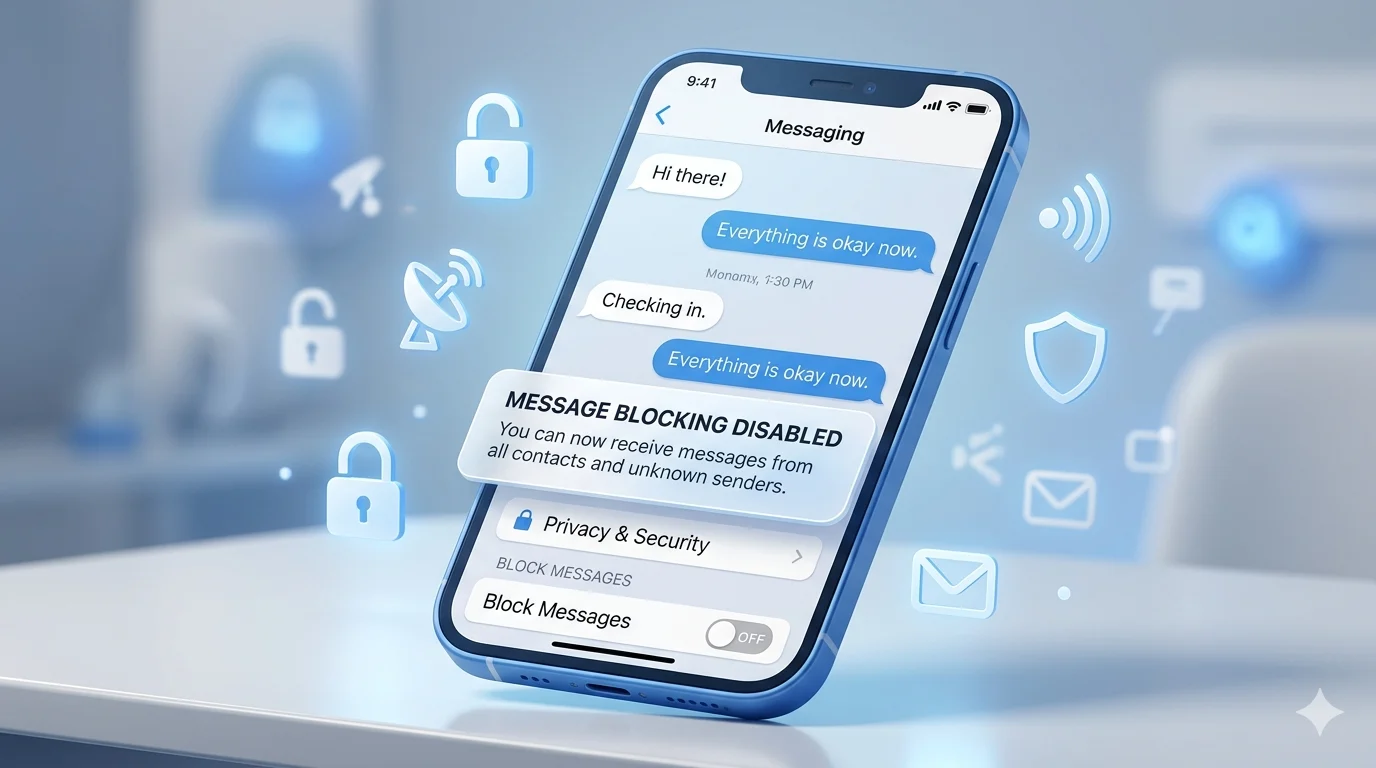
Have you seen a “message blocking is active” error and wondered how to disable message blocking on your phone? This common issue can prevent you from sending or receiving text messages, leaving important conversations interrupted and causing unnecessary frustration. Message blocking may be triggered by carrier restrictions, blocked contacts, account settings, messaging app errors, or network-related problems.
The good news is that most message-blocking issues can be resolved quickly once the root cause is identified. Whether you’re using an Android device, iPhone, or a specific messaging app, there are several proven solutions that can restore your texting service and help you communicate without interruptions.
In this guide, you’ll learn how to disable message blocking step by step, understand the reasons behind the error, and discover practical fixes to get your messages working normally again.
Quick Answer: How Do You Disable Message Blocking?
If you’re in a hurry, try these steps first:
- Check if the contact is blocked.
- Restart your phone.
- Enable SMS messaging.
- Reset network settings.
- Update carrier settings.
- Verify your SIM card is active.
- Check for carrier restrictions.
- Contact your mobile provider if the issue continues.
These fixes solve most message-blocking problems within minutes.
What Does “Message Blocking Is Active” Mean?
The error appears when your phone or mobile carrier prevents a message from being sent.
Common causes include:
- Blocked phone numbers
- Disabled SMS services
- Carrier account restrictions
- Network outages
- SIM card problems
- Software glitches
- Incorrect messaging settings
The exact cause varies depending on your device and mobile provider.
How to Disable Message Blocking on iPhone
Many users search for how to disable message blocking on iPhone after seeing failed text messages.
Check Blocked Contacts
- Open Settings.
- Tap Phone.
- Select Blocked Contacts.
- Review the list.
- Unblock the number if necessary.
Enable SMS Messaging
- Open Settings.
- Tap Apps.
- Select Messages.
- Turn on Send as SMS.
This allows messages to send as regular text messages when iMessage is unavailable.
Restart iMessage
- Go to Settings.
- Tap Messages.
- Turn iMessage off.
- Wait 30 seconds.
- Turn it back on.
Check Your Phone Number
Open:
Settings → Apps → Messages → Send & Receive
Make sure your number is selected and activated.
Restart Your Device
A simple restart can refresh network connections and fix temporary software issues.
Message Blocking Is Active on iPhone: Additional Fixes
If the standard fixes don’t work, try these solutions.
Update iOS
Outdated software can sometimes cause messaging issues.
- Open Settings.
- Tap General.
- Select Software Update.
- Install available updates.
Update Carrier Settings
- Open Settings.
- Tap General.
- Select About.
- Install any carrier update that appears.
Reset Network Settings
- Open Settings.
- Tap General.
- Select Transfer or Reset iPhone.
- Tap Reset.
- Choose Reset Network Settings.
How to Disable Message Blocking on Android
If you’re searching for Turn Off Message Blocking Android, these solutions can help.
Check Blocked Numbers
- Open the Phone app.
- Tap Settings.
- Select Blocked Numbers.
- Remove any number you want to contact.
Clear Messages App Cache
- Open Settings.
- Tap Apps.
- Select Messages.
- Tap Storage.
- Choose Clear Cache.
This removes temporary files that may be causing problems.
Verify SMS Permissions
- Open Settings.
- Tap Apps.
- Select Messages.
- Tap Permissions.
- Ensure SMS permissions are enabled.
Restart Your Android Device
After making changes, restart the phone and test messaging again.
Samsung Text Message App: Features, Settings & Complete Guide
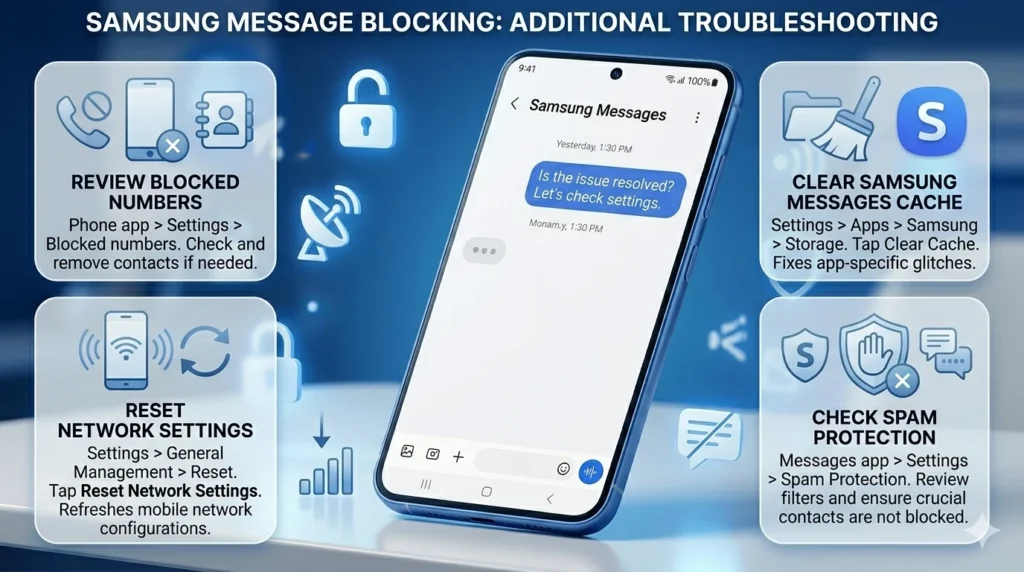
How to Disable Message Blocking on Samsung
Samsung users often experience messaging issues due to network settings or spam filters.
Review Blocked Numbers
- Open the Phone app.
- Tap Settings.
- Select Blocked Numbers.
- Remove blocked contacts if needed.
Clear Samsung Messages Cache
- Open Settings.
- Tap Apps.
- Select Samsung Messages.
- Tap Storage.
- Clear Cache.
Reset Network Settings
- Open Settings.
- Tap General Management.
- Select Reset.
- Tap Reset Network Settings.
This refreshes mobile network configurations.
Check Spam Protection
Samsung’s spam filters can sometimes interfere with messaging.
Review your spam settings and ensure important contacts aren’t blocked.
How to Disable Message Blocking Active on T-Mobile
One of the most common searches is:
“Unable to send message – message blocking is active T-Mobile.”
If you’re a T-Mobile customer, follow these steps.
Verify Account Status
Check that:
- Your account is active.
- Your bill is paid.
- Messaging services are enabled.
- No account restrictions exist.
Review Family Controls
Parental controls may prevent text messaging.
Log in to your account and remove any SMS restrictions.
Check for Network Outages
Temporary outages can affect messaging services.
If service is unavailable in your area, wait until the issue is resolved.
Contact Support
If everything looks normal but messages still fail, contact T-Mobile support for account-specific assistance.
How to Delete a Message Before It’s Seen
Fix “Free Msg: Unable to Send Message – Message Blocking Is Active”
This message usually points to a carrier-level restriction or account problem.
Turn Airplane Mode On and Off
- Enable Airplane Mode.
- Wait 30 seconds.
- Turn it off.
- Retry sending the message.
Reinsert Your SIM Card
- Turn off the phone.
- Remove the SIM card.
- Reinsert it carefully.
- Restart the device.
Move to a Stronger Signal Area
Poor network coverage can interfere with SMS delivery.
Check If Your SIM Card Is Active
An inactive SIM card can prevent texting.
Signs of SIM issues include:
- No signal bars
- Failed calls
- Failed texts
- “No Service” messages
If you suspect SIM problems, contact your carrier for assistance.
Reset Network Settings
Network settings can become corrupted over time.
iPhone
Settings → General → Transfer or Reset iPhone → Reset → Reset Network Settings
Android
Settings → System → Reset Options → Reset Network Settings
This process removes saved Wi-Fi passwords but often fixes messaging issues.
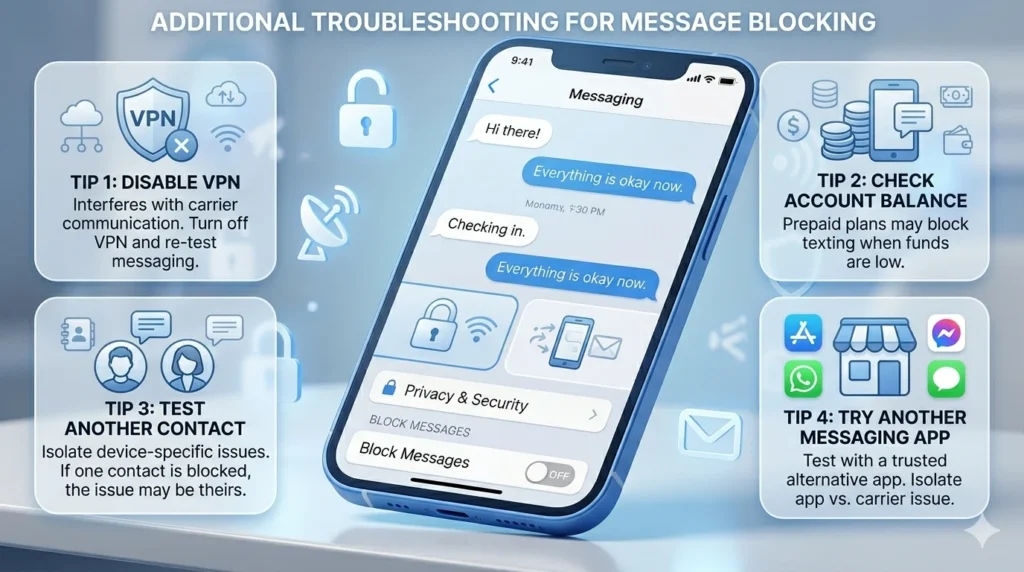
Additional Troubleshooting Tips
If message blocking remains active, try the following:
Disable VPN Services
Some VPNs interfere with carrier communication.
Turn off your VPN and test messaging again.
Check Account Balance
Prepaid plans may block texting when funds are depleted.
Test Another Contact
If only one recipient is affected, the issue may be on their device.
Try Another Messaging App
Install a trusted messaging app and see if messages send successfully.
Message Blocking Troubleshooting Checklist
Before contacting support, make sure you have:
✔ Restarted your device
✔ Checked blocked contacts
✔ Enabled SMS messaging
✔ Updated your phone
✔ Updated carrier settings
✔ Reset network settings
✔ Verified your SIM card
✔ Checked account status
✔ Tested another contact
✔ Confirmed network coverage
If you’ve completed every step and still can’t send messages, your carrier may need to investigate the issue.
Frequently Asked Questions
How do I turn off text message blocking?
Check blocked contacts, enable SMS services, verify carrier settings, and restart your device.
How do I unblock SMS messages?
Open your blocked contacts list, remove the number, and try sending a message again.
Why does my iPhone say Message Blocking Is Active?
The error is usually caused by blocked contacts, carrier restrictions, inactive service, or network issues.
How do I disable message blocking on Samsung?
Review blocked numbers, clear the Messages app cache, reset network settings, and update software.
Why can’t I send messages on T-Mobile?
Account restrictions, unpaid bills, parental controls, or temporary network outages can prevent messages from sending.
Conclusion
Knowing how to disable message blocking can help you quickly restore texting on your device. Whether you’re dealing with Message Blocking Is Active iPhone, Turn Off Message Blocking Android, or Unable to Send Message – Message Blocking Is Active T-Mobile, the solution is often simpler than it seems.
Start with basic fixes like checking blocked contacts, restarting your phone, and verifying your account status. If the problem continues, reset your network settings, update your software, and contact your carrier for additional help.
By following the steps in this guide, you’ll be able to identify the cause of the issue and get your messages flowing again without unnecessary frustration.

Alex Rowan is a passionate writer who believes simple words can express deep emotions. He writes heartfelt messages and quotes inspired by love, life, and human connection.